We wanted a place to write the thing you would not write with someone beside you.
So we built one, and then spent a year closing every gap where the words could still be read.
The problem nobody was solving
Every private notes app protects your writing after you close it. Encryption at rest, a passcode on the app, a lock on the folder. All of it useful, and all of it aimed at a moment when nobody is actually looking.
The moment that matters is the other one. You are on a train, in a waiting room, at a kitchen table. Someone is beside you. The page is open, and it is perfectly readable, because it has to be readable to you.
That is the gap Nook was built for.
Privacy Typing
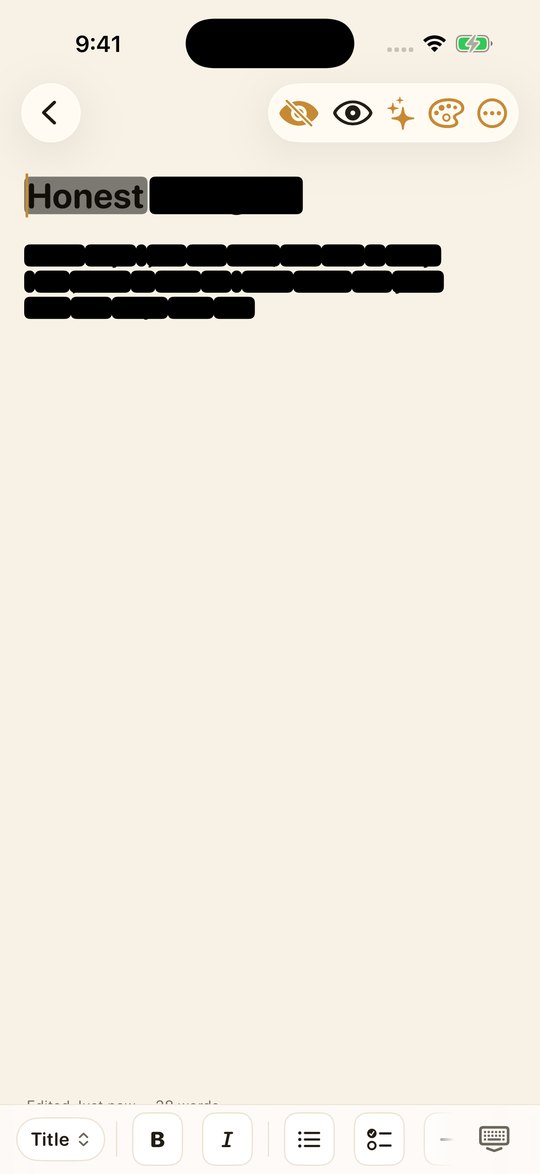
Turn it on and each word blacks out the moment you finish it. The word under your cursor stays faintly visible, just for you, so you can still see what you are doing. Your neighbour sees black bars. Tap the eye and the page comes back.
It sounds small. In practice it changes what people are willing to write down, which is the entire point of a journal.
The half we were missing
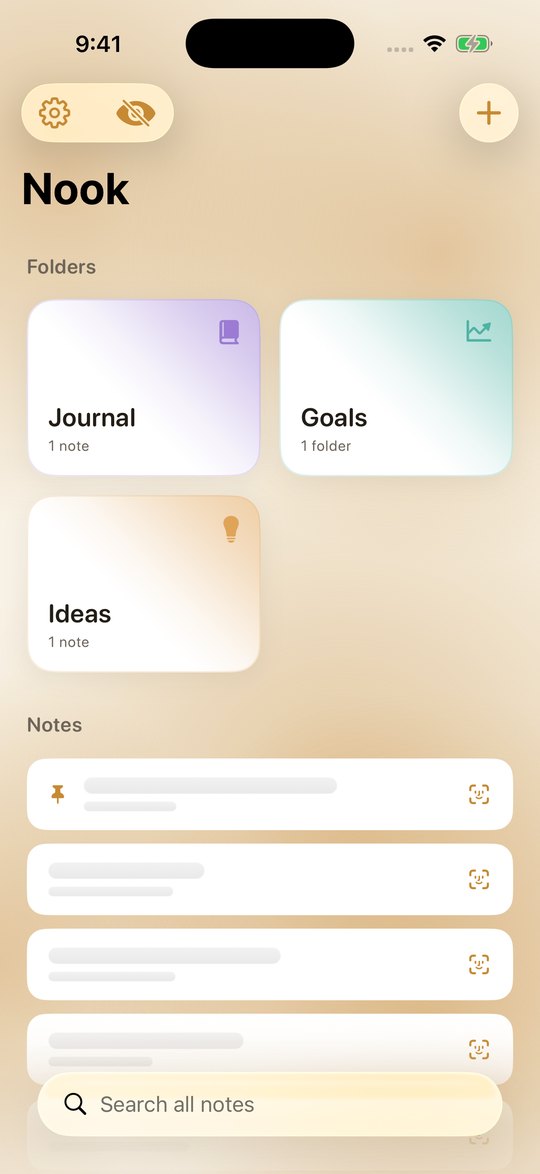
Protecting the page while you write it does little if your list still reads like a table of contents. We had built a feature that hid every word as you typed it, and then printed the first line of every note on the home screen.
So in version 1.1 the list is covered too. Every title and preview sits behind glass. Bring them all back with Face ID, or uncover one note at a time, which is the safer habit. Everything covers itself again the moment you leave the app, so Nook never opens onto your own words.
A covered row does not render the real text at all. Blurring it on top would still hand the words to VoiceOver and to anything that walks the view tree. They simply are not there until you have authenticated.
The tension we designed around
Privacy Typing is visual only. It hides your words from the person beside you, never from you, and never from VoiceOver. That was the first thing we had to get right: an accessibility feature that reads your notes aloud must keep working, because the person who needs it is the owner of the notes.
The covered list works the other way round. There, the words are genuinely absent until you authenticate, so VoiceOver announces a covered note and offers to unlock it, rather than reading out what the shield is meant to hide.
Nothing to collect
Nook has no networking code beyond the purchase. Not disabled, not opt-in: absent. There is no account, no sync, no analytics, no crash reporting, and no server to send anything to. The App Store privacy label reads Data Not Collected because there is genuinely nothing to collect.
Backups are yours to make and yours to keep. You choose the passphrase, and without it nobody can open the file, including us.
For the days you do not know where to start
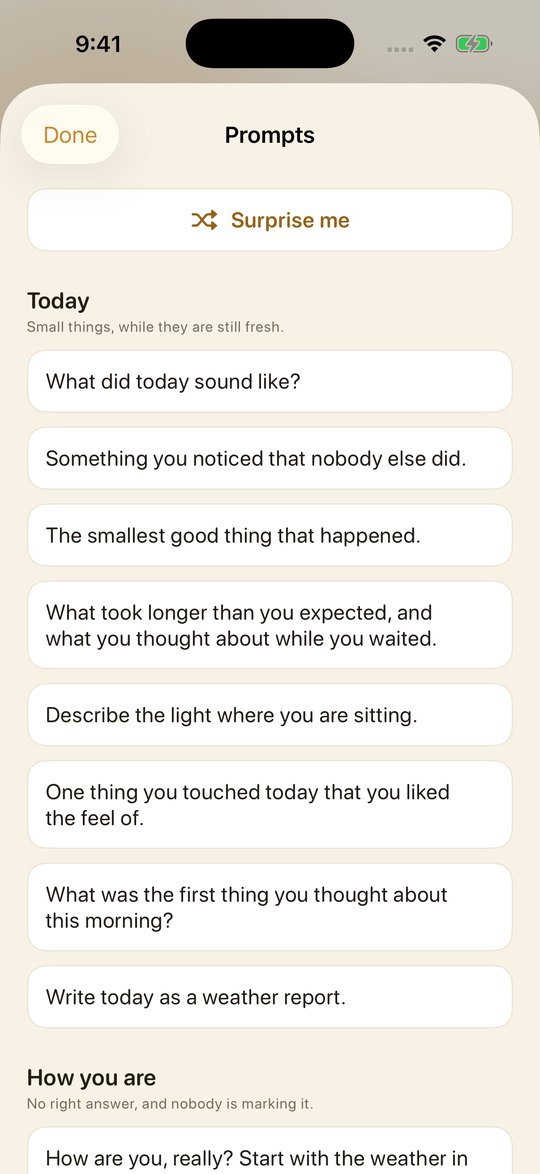
Fifty one hand written prompts, grouped by what you might need: today, how you are, the people in your head, looking back, looking ahead, the quiet ones, the unsaid ones. They work on every device, with no model required.
On devices with Apple Intelligence, Nook can also suggest a topic or reflect on an entry using the on device Foundation Models. No network call is made at any point, on any device.
Who made it
Two of us, in the Netherlands. We built Nook because we wanted it ourselves, and we kept building it because people started telling us what they were finally able to write down.
There is no growth plan behind it. Try the whole app for seven days. If it earns a place on your phone, buy us a coffee once and it is yours for life.